



The Colon & Rectal Center of Arizona treats conditions that many people would rather not describe to a friend, let alone type into a contact form. Rectal bleeding, anal pain, fecal incontinence and hemorrhoids are common, but the embarrassment can make people put off a visit. A website for this specialty has to lower that barrier before it can do anything else.
That changes what the site is for. It is less a showcase of surgeons than a private place to read about a symptom, recognize it, and learn when it is time to book. The design decisions below all follow from that.
Key Takeaways
- In a sensitive specialty, naming each condition plainly in the menu is a design decision, not just a content one.
- Condition pages work best when they are built from the questions patients ask, including “when should I see someone?”
- Staff pages that show who schedules surgery and who handles referrals make the first phone call less daunting.
- Spanish-language entry points belong in the main navigation, not only on a separate page.
- Medical content, statistics and access details need a review schedule.
What Does the Colon & Rectal Center of Arizona Do?
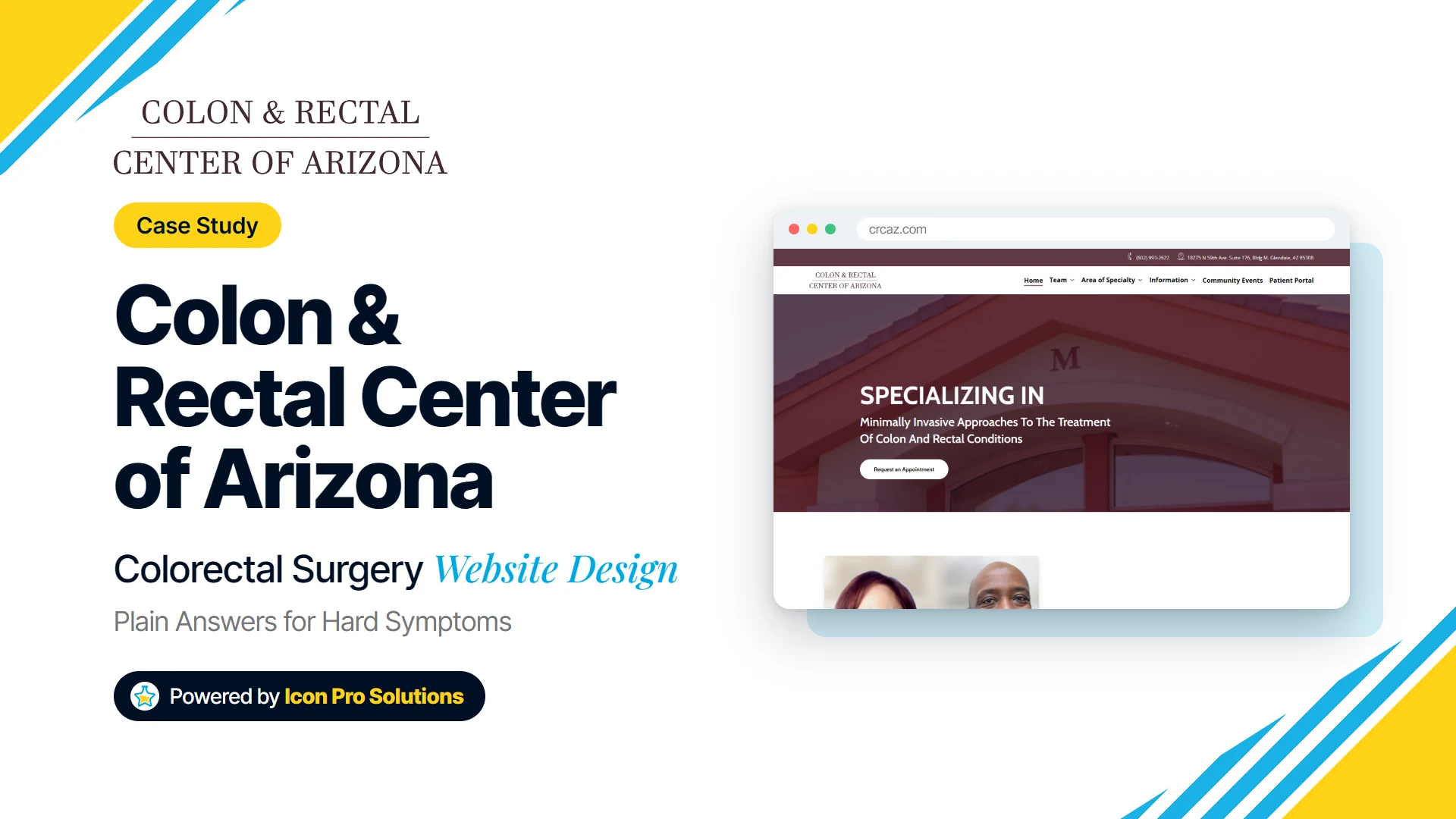
The Colon & Rectal Center of Arizona is a colon and rectal surgery practice in Glendale, Arizona. Its home page describes minimally invasive approaches to colon and rectal conditions, with board-certified surgeons offering advanced laparoscopic and robotic surgery. The practice has two board-certified colon and rectal surgeons and a small team of schedulers, medical assistants and front office staff.
The conditions it covers range from colorectal cancer, diverticular disease, Crohn’s disease and ulcerative colitis to hemorrhoids, anal fissures, fistulas, rectal prolapse and fecal incontinence. It also performs diagnostic and screening colonoscopies.
Why Name Every Condition in the Menu?
Because a patient with an embarrassing symptom wants to find it without asking anyone. The site’s Area of Specialty menu lists each condition by name, grouped into Abdominal Conditions & Surgery, Anal Disease & Surgery, and Colonoscopy.
Grouping by Where the Problem Is
The grouping follows the body rather than the practice’s internal departments. Someone with anal itching or skin tags looks under Anal Disease & Surgery, and someone worried about diverticular disease looks under Abdominal Conditions. Neither has to know the medical category first.
Using the Words Patients Use
The labels are plain: Rectal Bleeding, Anal Pain, Anal Itching, Constipation, Diarrhea. These are the words a worried person types, not the terms a surgeon uses in a clinic note. A menu written that way tells the reader, before they click, that the practice has heard their problem before.
What Should a Condition Page Answer?
The condition pages are built as a series of questions. The colorectal cancer page moves through what it is, its signs, causes, preventive measures, expected outcome, possible complications, how it is treated and when to see a specialist. The constipation page asks whether medication can cause it and how a cause is determined before it reaches treatment.
The Question That Matters Most
The most useful section on these pages is the one about when to act. The constipation page says to consult a physician when symptoms persist for more than three weeks, and to see a colon and rectal surgeon right away if blood appears in the stool. A specific threshold like that is what turns reading into a decision.
For a practice in this field, that section carries real weight. Patients who are embarrassed tend to wait, and a page that says plainly when waiting is no longer sensible gives them permission to call.
Education Alongside the Condition Pages
The home page adds an Education and Resources strip with short cards on anal fissure, anal fistula, colonoscopy, diverticular disease, fecal incontinence and hemorrhoids. It also offers a free webinar on fecal incontinence by one of the surgeons, and links to a radio interview both surgeons gave about colon cancer and screening. Hearing a surgeon talk through a condition can be less intimidating than reading about it.
Who Will the Patient Actually Talk To?
In most practices the first human contact is not the surgeon. It is the person who answers the phone, checks insurance or schedules the procedure, and for a sensitive condition that call can be the hardest step.
Staff Pages With Named Roles
The CRCAZ team section gives each staff member a page with their role. The office manager is also the surgery scheduler, there is a new patient appointment scheduler who is also the referral coordinator, and one surgeon has his own surgery scheduler. Patients can see who they will be dealing with before they dial.
Spanish‑Speaking Patients
The site builds in Spanish-language entry points rather than leaving them to a single page. The Information menu includes Información next to its English pages, and the education cards include Colonoscopia and Hemorroides alongside their English versions. The front office receptionist’s page says she is a Certified Medical Interpreter who wants the Spanish-speaking community to feel supported and understood.
For patients who would find a sensitive conversation harder in a second language, that combination matters. The Spanish cards give them something to read first, and the staff page tells them who can help on the phone.
What We Would Watch
Sites in sensitive medical specialties carry a few risks that a general practice site does not.
- Medical accuracy over time. The colorectal cancer page quotes national statistics, and figures like those are revised. Condition pages need a named reviewer and a last-reviewed date so nobody has to guess whether they are current.
- Access details for recordings. Passcodes and links for recorded webinars change when the host rotates them. Any page that shares them needs a check after each change, or it becomes a dead end without anyone noticing.
- Reviews on the page. Mixed feedback shown alongside praise can build trust, but which reviews appear on each surgeon’s page should be a deliberate choice. Reviews pulled from an outside source need a regular check.
- Heading structure. Every page needs one main heading that names its actual subject. Search engines and screen readers lean on that heading to understand a page, so a generic phrase or a missing heading costs both.
- Spanish parity. If Spanish-speaking patients are a priority, the practice should keep a list of which condition pages are translated. New translations can then follow the order in which patients are most likely to need them.
Frequently Asked Questions
How should a colorectal surgery website handle embarrassing conditions?
Name them plainly in the menu, group them by where the problem is, and give each its own page. The patient should be able to find their symptom without asking anyone.
What should a medical condition page include?
A clear description, likely causes, how it is diagnosed and treated, and a specific point at which to see a specialist. That last section is the one most likely to prompt a decision.
Does a practice with Spanish-speaking patients need a full Spanish site?
Not always at first. Spanish entry points in the main navigation, translated versions of the most-needed pages, and a named bilingual contact are a practical start, as long as the gaps are tracked.
See More of Our Work
Browse other client sites we designed and built on our work page. If your practice needs a site that makes a difficult first step easier, see our web design service.